Find my Flows

Which environment is that flow in?

Every Power Automate veteran knows the hunt: the flow exists, you built it — but in which of the seven environments? Find my Flows searches everything your account can reach on the tenant and puts every flow in one searchable list.

FlowOversee — Find my Flows
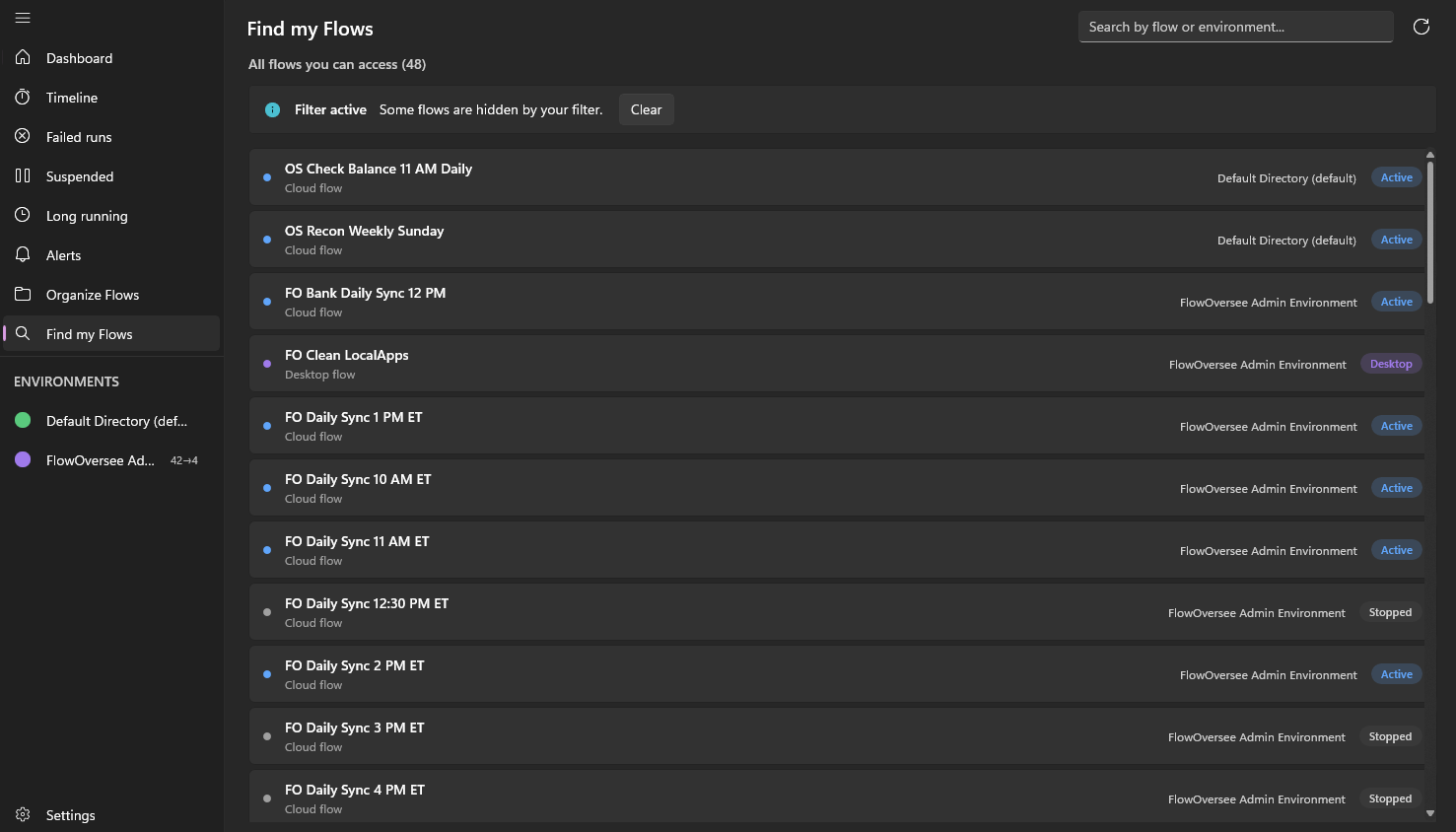
FlowOversee Find my Flows page listing every Power Automate flow across all environments in one searchable list

Every flow you can access, across every environment, in one searchable list.

Power Automate does the automating — FlowOversee adds the overseeing. It's a read-only companion to a platform we think is great: nothing in your flows changes, you just see them better.

Searching one environment at a time

  • The portal works one environment at a time — finding a flow means switching and searching, environment by environment.
  • Inside each environment, the list loads a page at a time — search covers what's loaded so far.
  • Shared and team flows add more places to look.

With FlowOversee

  • One list: every flow you can access, across every environment on the tenant.
  • Search by flow name or environment name — results narrow as you type.
  • Each result shows the flow's current state, and opens into its details.

Type a name. Get an answer.

"Where did the onboarding flow end up?" stops being a ten-minute expedition. The whole tenant's worth of your flows sits in one list — search it like you'd search anything else.

  • Every environment your account can reach, in one pass
  • Match on flow name or environment name
  • State at a glance — spot the stopped copy in the old environment instantly
Search"onboarding"
FO Customer Onboarding
Production · Cloud
Active
FO Customer Onboarding (copy)
Sandbox · Cloud
Stopped
FO Onboarding Tasks
Team Environment · Cloud
Active
Common questions

Find my Flows, answered

How do I find a Power Automate flow when I don't know which environment it's in?
FlowOversee's Find my Flows page lists every flow you can access across every environment on your tenant, in one searchable list. Type part of the flow's name and it surfaces wherever it lives — no switching environments, no guessing.
Which environments does Find my Flows search?
Every environment your account can reach on the tenant. You can search by flow name or narrow by environment name, and each result shows the flow's current state at a glance.
Can I do anything with a flow once I've found it?
Yes — open it right from the results to see its details. And since FlowOversee is read-only, browsing across environments never risks changing anything.
Works together

Pairs well with

Coming soon

Stop hunting. Start finding.

FlowOversee is coming to the Microsoft Store. Try the app in the interactive demo right now — no install, no sign-in, simulated data.