What the state actually means
A Microsoft Power Automate flow has a life beyond succeeded-or-failed. Suspended sits apart from both: the platform has put the flow on hold, and no runs happen while it holds. It is different from a flow that is turned off — that is the flow's own switch, flipped by a person or by the platform, and it can simply be flipped back. A suspension holds until whatever caused it is resolved.
The practical consequence is the same in both cases: scheduled work silently does not happen. Which is why both states deserve a spot in whatever routine you use to watch your flows.
How to check in the portal
- Open the flow in the Power Automate portal — its details page shows the flow's state, and a suspended flow carries a notice explaining the situation.
- Read the notice. It is the platform's own explanation of what it needs — often something for an admin, like a billing or capacity question.
- After the cause is resolved, confirm the flow is running again by watching for its next run in run history.
What FlowOversee adds: suspended flows, front and center
FlowOversee gives suspended flows their own page: every suspended flow in the environment in one list, each with the reason and details the platform provides. The dashboard counts suspended flows the moment the app opens — so a state change surfaces the next time you look, not whenever someone next opens that particular flow. And if you turn on background alerts, a flow becoming suspended raises a Windows toast on your chosen interval, exactly like a failed run.
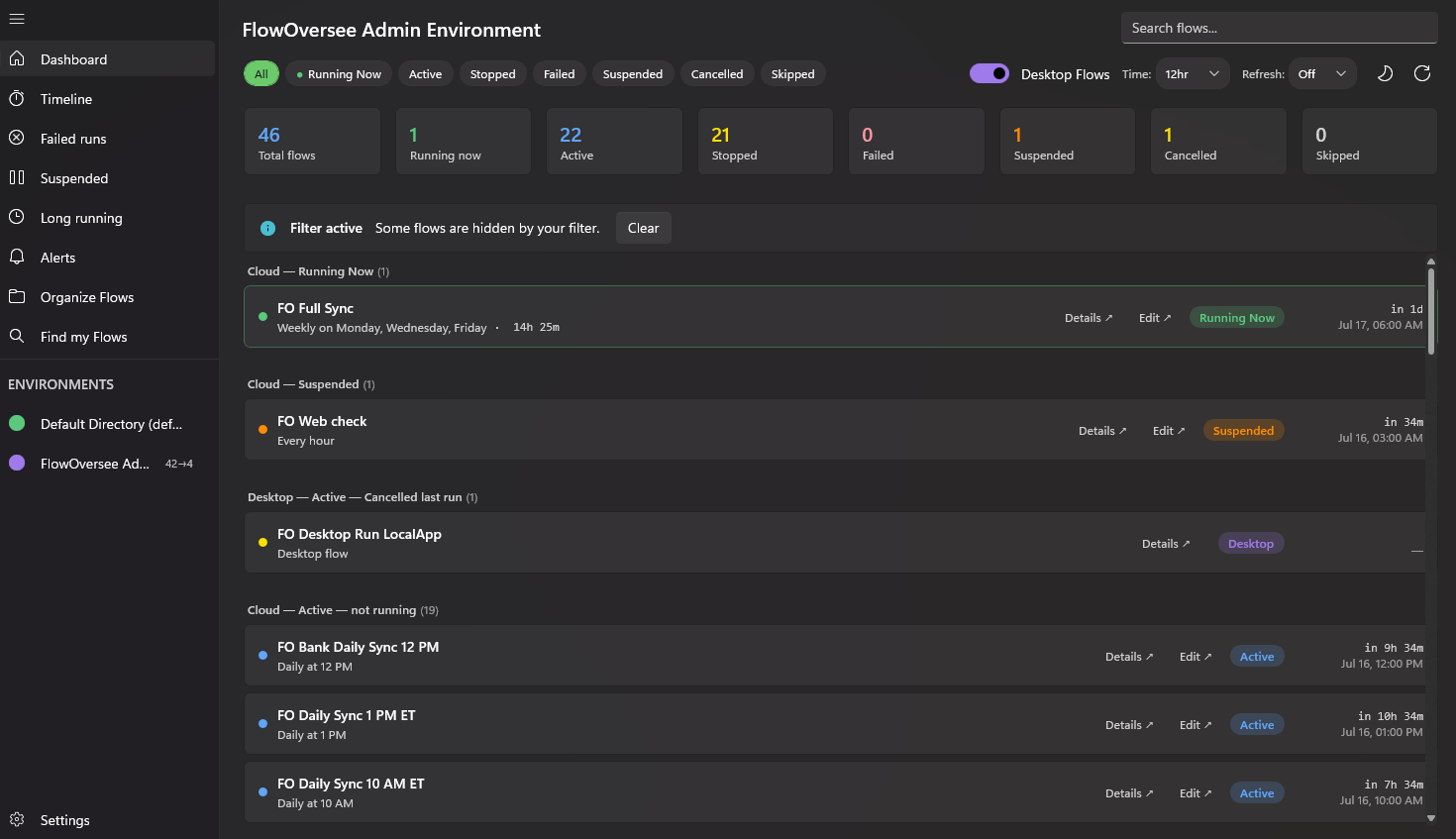
Status counts on open — suspended flows included — so a state change never waits to be discovered.
The full story is on the Suspended Flows feature page, and the interactive demo includes a suspended flow to poke at — reason, details, and all.